Using Photeria Credits
Understand when credits are applied and where to see your current credit usage and balance.
Written By David Dayan
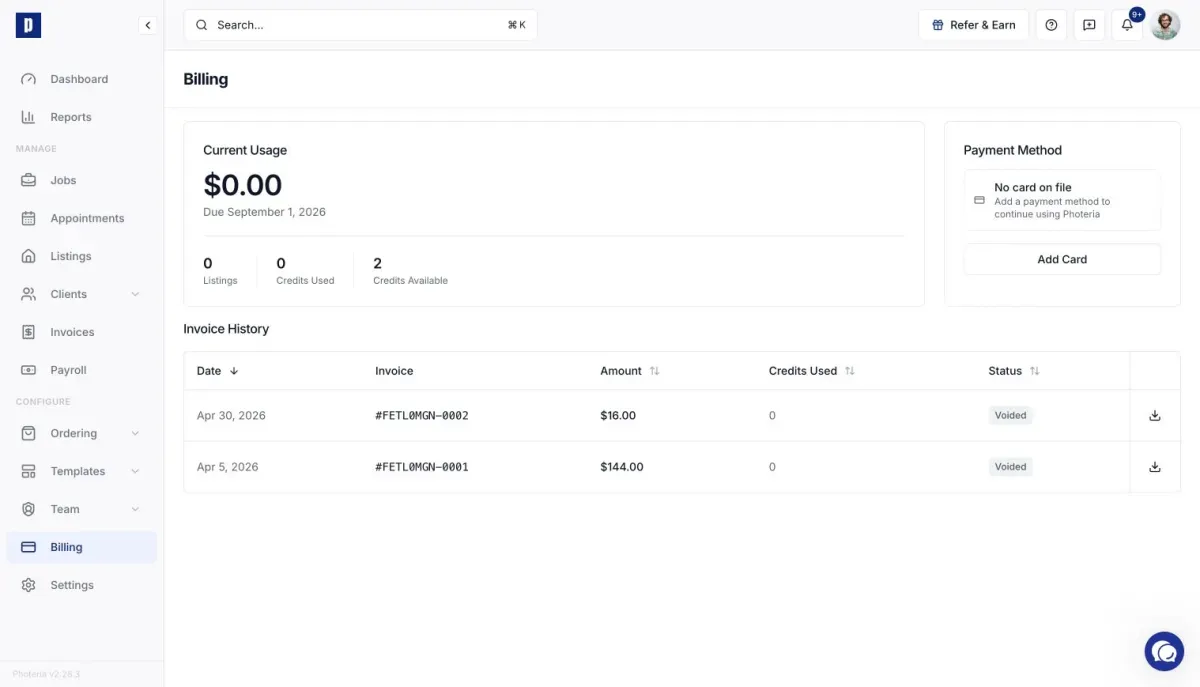
A Photeria credit covers the platform charge for one listing. You do not need to choose when to use one.
How credits are applied
When a listing is activated, Photeria checks your credit balance first. If a credit is available, it is used automatically and that listing adds no charge to the current billing period.
Open Billing to see:
- Credits Used, the number applied during the current period
- Credits Available, the balance remaining
- Listings, the listings that will be charged on the next platform invoice
If a credited job is cancelled before its charge is invoiced, the credit returns to your balance.