How Photeria Billing Works
Understand current platform usage, credits, monthly charges, and where to manage Photeria billing.
Written By David Dayan
The Billing page shows what your business owes Photeria for using the platform. This is separate from the client invoices you send from the Invoices page.
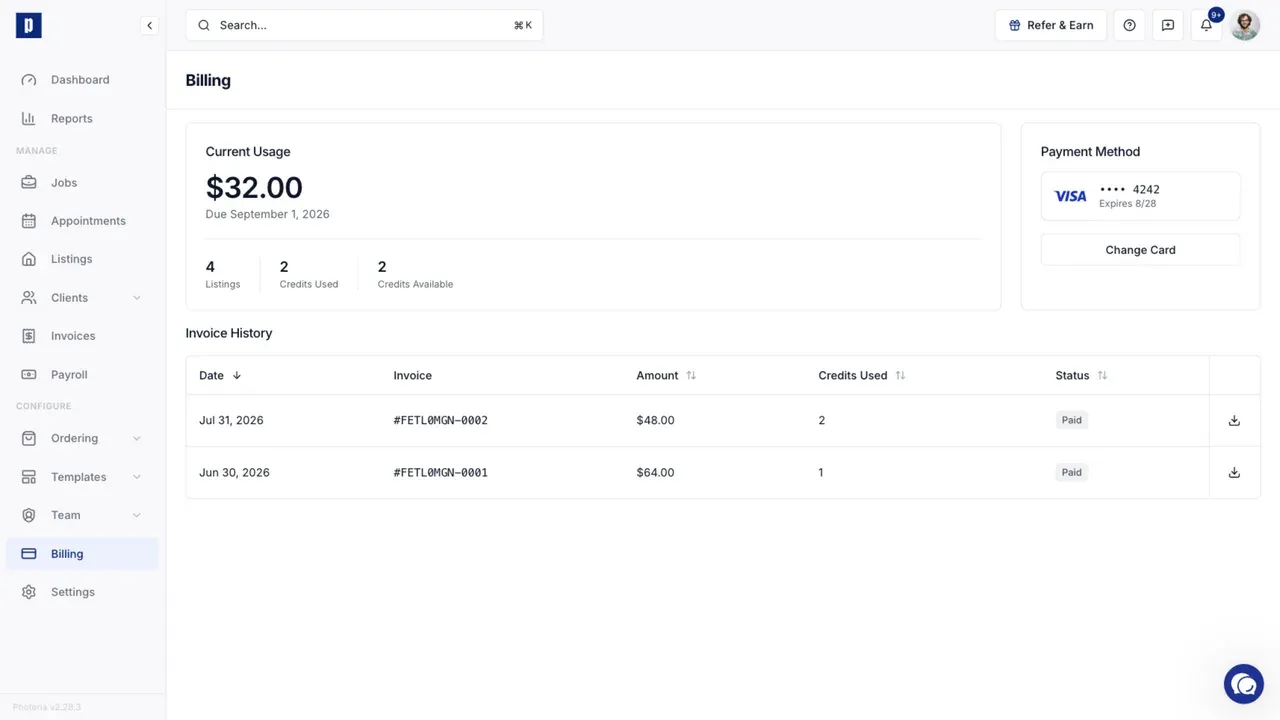
Current usage
Photeria records a platform charge when a listing is activated. Your Current Usage card shows:
- The amount due for the current billing period
- The number of billable listings
- How many credits were used
- How many credits remain
One available credit covers one listing. Credits are applied automatically before a listing charge is added.
Your organization's listing price may differ from another organization's price. The amount shown under Current Usage uses the price assigned to your organization.
Monthly billing
At the beginning of each month, Photeria creates one platform invoice for the previous month's billable listings and charges the saved payment method automatically.
Open Billing to review the current period, change the saved card, or view previous platform invoices.
You need Billing: Read permission to open this page.