Creating and assigning pricing catalogs
Pricing catalogs give an agent or brokerage negotiated prices while keeping your standard prices available for other clients.
Written By David Dayan
Pricing catalogs give an agent or brokerage negotiated prices while keeping your standard prices available for other clients.
Set service prices
Open Ordering → Catalogs and select Add Catalog.
Enter a Title, such as Preferred Partner Pricing.
Enter the amounts you want to override. Leave a field empty, showing Default, to keep the standard amount.
For a fixed-price service, enter its price under Flat fee. For a per-item or per-square-foot service, enter the rate under Unit price.
Tiered services have separate fields for each tier's unit price and flat fee. You can change either amount independently. The service keeps its existing tier boundaries and graduated or volume calculation.
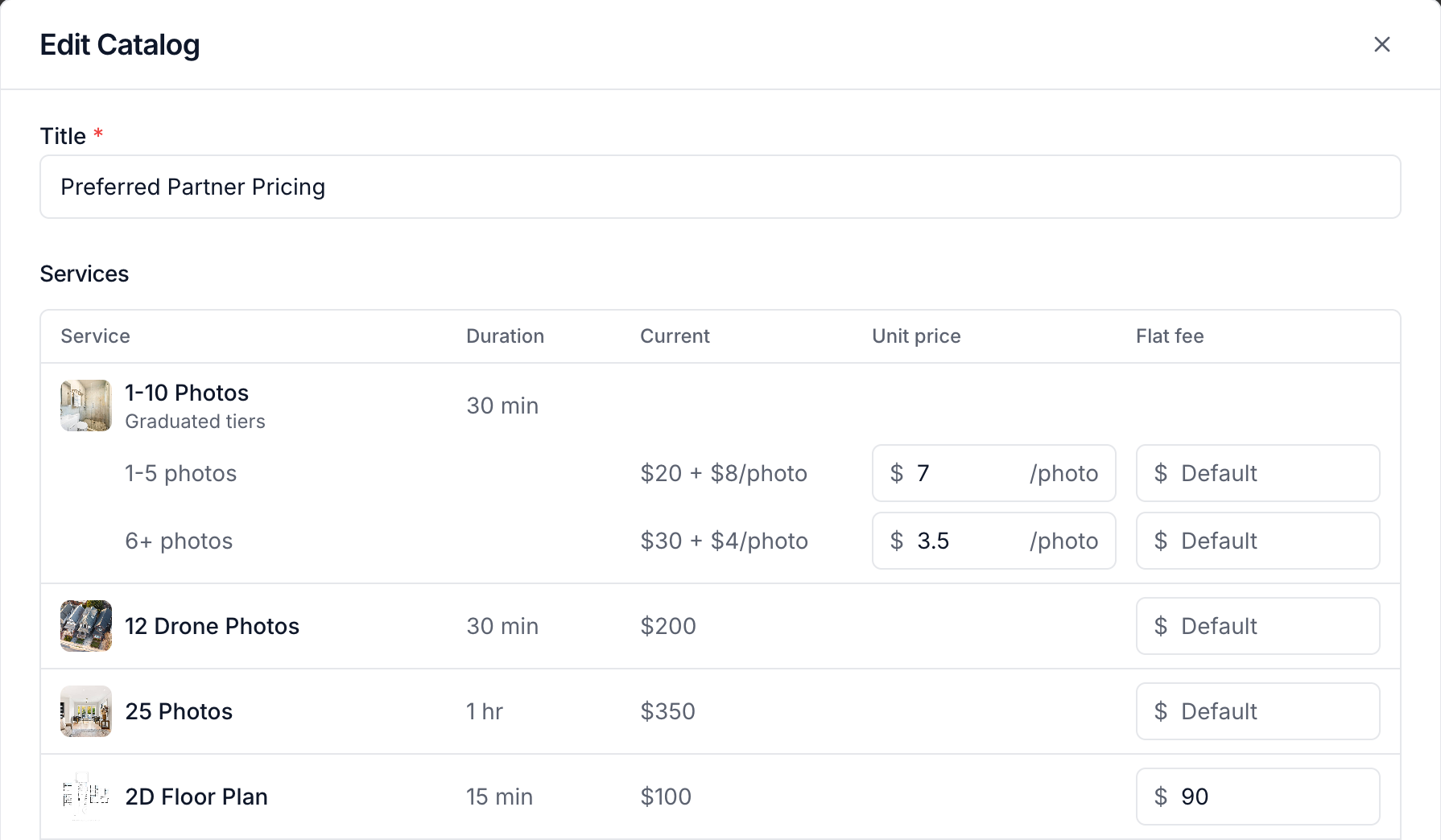
For example, lower the per-photo rates while leaving the flat fees on Default. The client receives the negotiated rates and still pays the standard flat fees.
Set package prices
In Packages, enter the override under Catalog price. Check Discount type before entering the amount:
Set price overrides the package's final price.
Percent off overrides its discount percentage.
Dollar off overrides its discount amount.
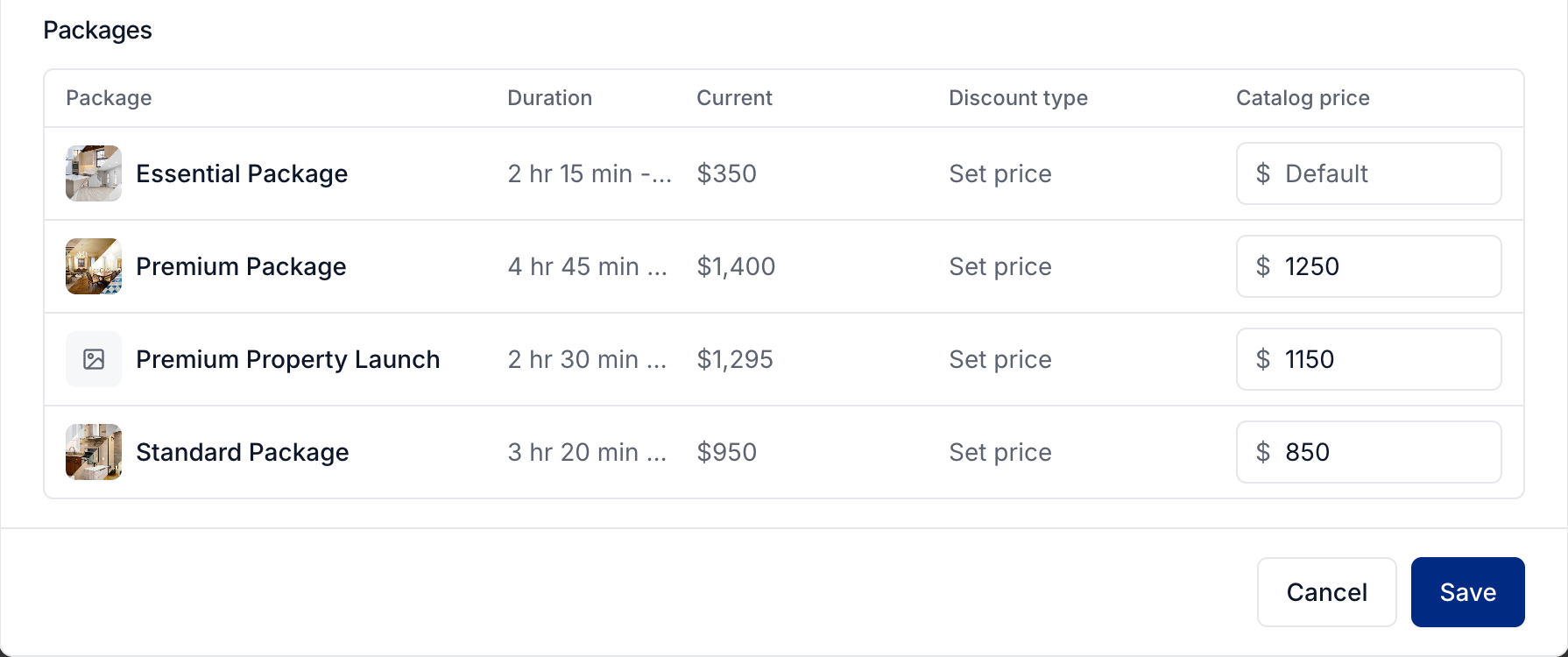
Select Save when the catalog is ready.
Assign the catalog
Open Clients → Agents and select the agent.
Under Settings, expand Ordering.
Turn on Use a custom catalog.
Choose the catalog and select Save.
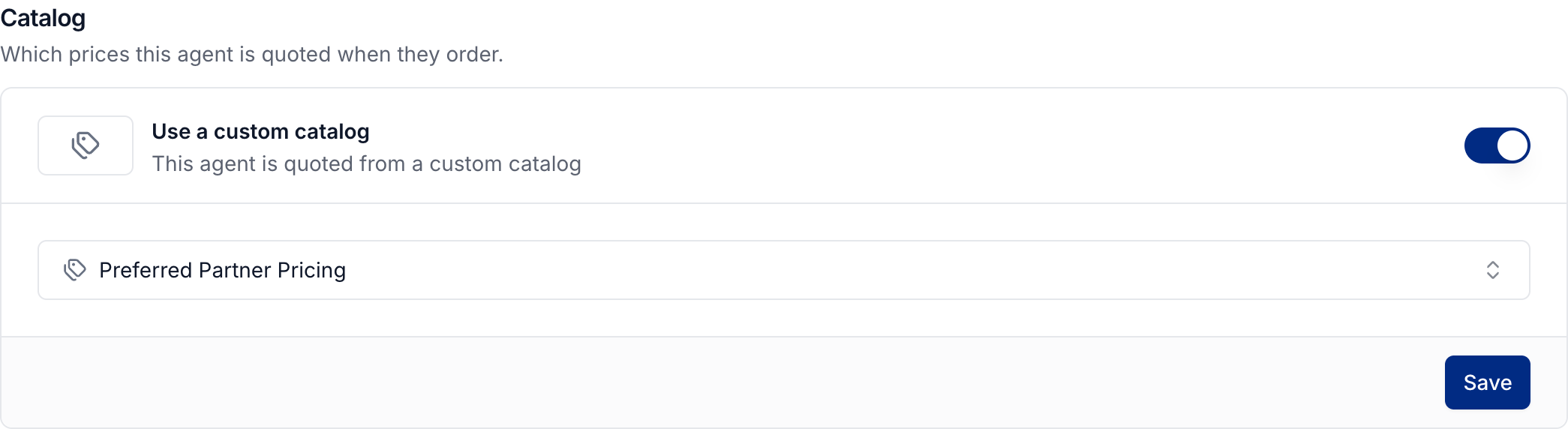
To set a brokerage's catalog, open Clients → Brokerages, select the brokerage, and use its Ordering settings.
An agent normally follows the brokerage's catalog. Assigning a catalog directly to the agent takes precedence. Fields left on Default use your standard prices.
Keep negotiated prices current
Catalog changes apply when new orders are priced. They do not change existing order prices.
Changing a service's pricing model or removing tiers can reset affected catalog overrides. Changing a package's discount type resets its saved catalog prices. Review the affected catalogs after either change.
See service pricing and square footage pricing for the underlying calculations.
Was this helpful?
Still need help? Share an idea