Planning shoots with Appointments
The Appointments calendar is your visual schedule of every upcoming shoot. It plots each appointment on a time grid, shows the drive time between properties, and shades the hours when no photographer is free, so you can read your week at a glance and spot open slots. Find it
Written By David Dayan
Use Appointments to check your team's schedule, allow for travel between shoots, and find a particular visit. Switch between a calendar, a map of the day's stops, and a searchable list.
Check the schedule
Open Appointments and choose Day, Week, or Month. Select the date to jump to another period. In Month, select a day to open its schedule.
Open an appointment to review its access instructions, contact the agent, or record on-site progress. See Managing an appointment.
In Day and Week, allow for the estimated drive to each property and the drive home after the photographer's last stop. Shaded hours indicate that no photographer is available. Filter to one team member to check that person's availability, including working hours and connected Google Calendar busy times.
See Photographer availability to change when a photographer can take bookings.
See the day's stops on a map
Choose Map and select the day you want to review.
Use Show filters, then Add filter, to focus on a team member, client, or brokerage.
Select a stop on the map or in the list beside it.
Select Open appointment for directions and shoot details.
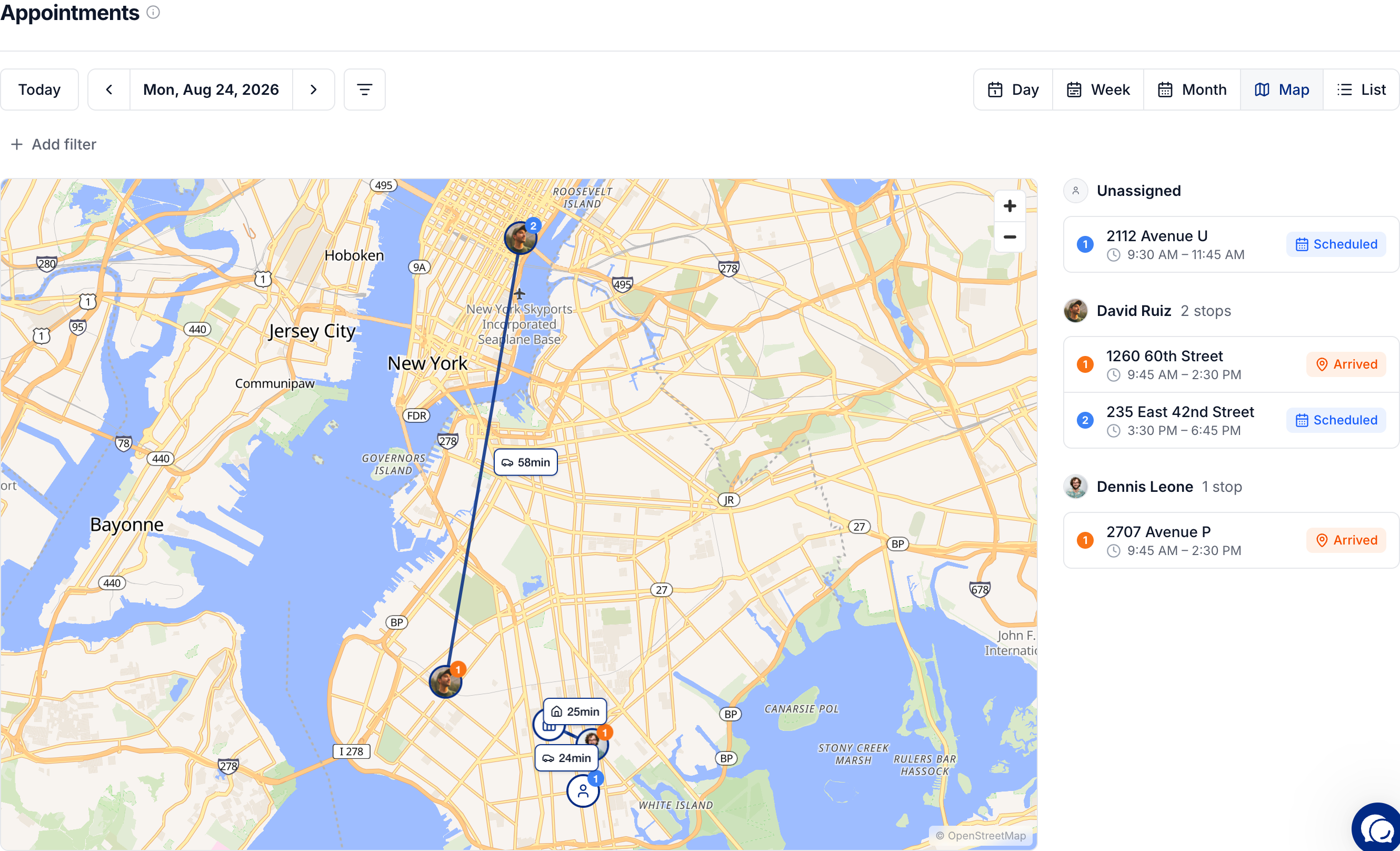
Stops are grouped by photographer and numbered in appointment order. Appointments without a property location cannot appear as map pins.
Find an appointment in the list
Choose List to search by address, client, or team member. Sort by Date to find recent or older appointments, or filter by Team, Client, or Brokerage.
Appointments on archived jobs are excluded. To change which services belong to a visit or schedule another visit, open the job.
Was this helpful?
Still need help? Share an idea