Creating and managing packages
Packages combine services into one offer.
Written By David Dayan
Packages combine services into one offer. You can include a fixed set of services or let clients choose between options, such as drone photos or twilight photos.
Set the package price
Open Ordering → Packages and select Add Package.
Enter a name and description that explain what the client gets.
Choose a Discount Type and enter the amount.
Percent Off discounts the combined service price by a percentage. Dollar Off subtracts a fixed amount. Set Price charges one package price regardless of the individual service prices.
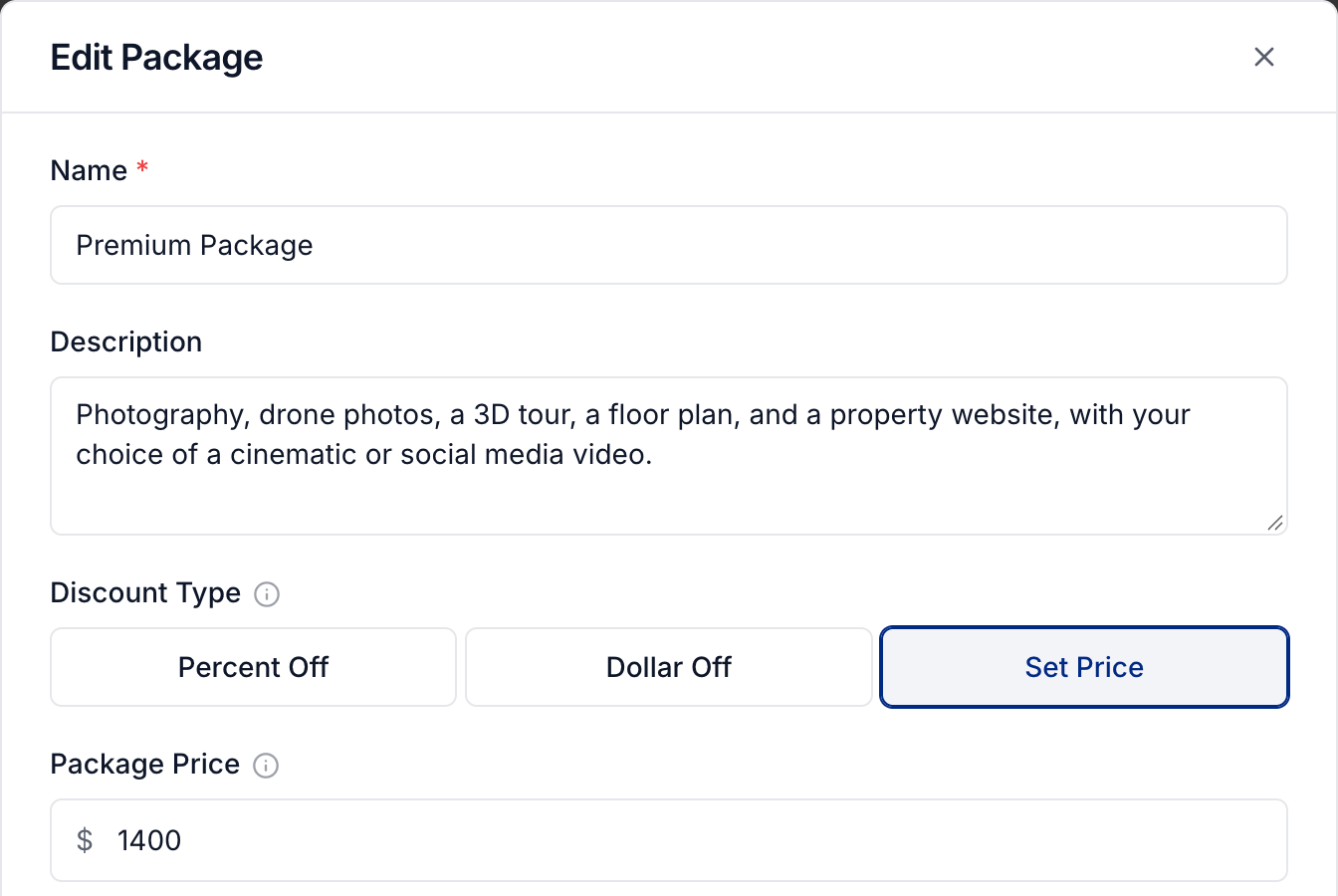
You can add a Badge, such as Most Popular, and examples in Package Gallery to help clients choose.
Choose what is included
Under Included Services, select Add service for each service every buyer should receive. For quantity-priced services, set the included quantity within the service's allowed range.
To let clients choose a service:
Under Service Choices, select Add Choice.
Select Add option and add at least two services.
Drag the options into order. The first option is selected by default on the order form.
Add another choice if the client needs to make a separate selection.
For example, include photography and a floor plan, then offer a choice between a cinematic video and a social media video. The client gets one service from each choice, plus all the fixed included services.
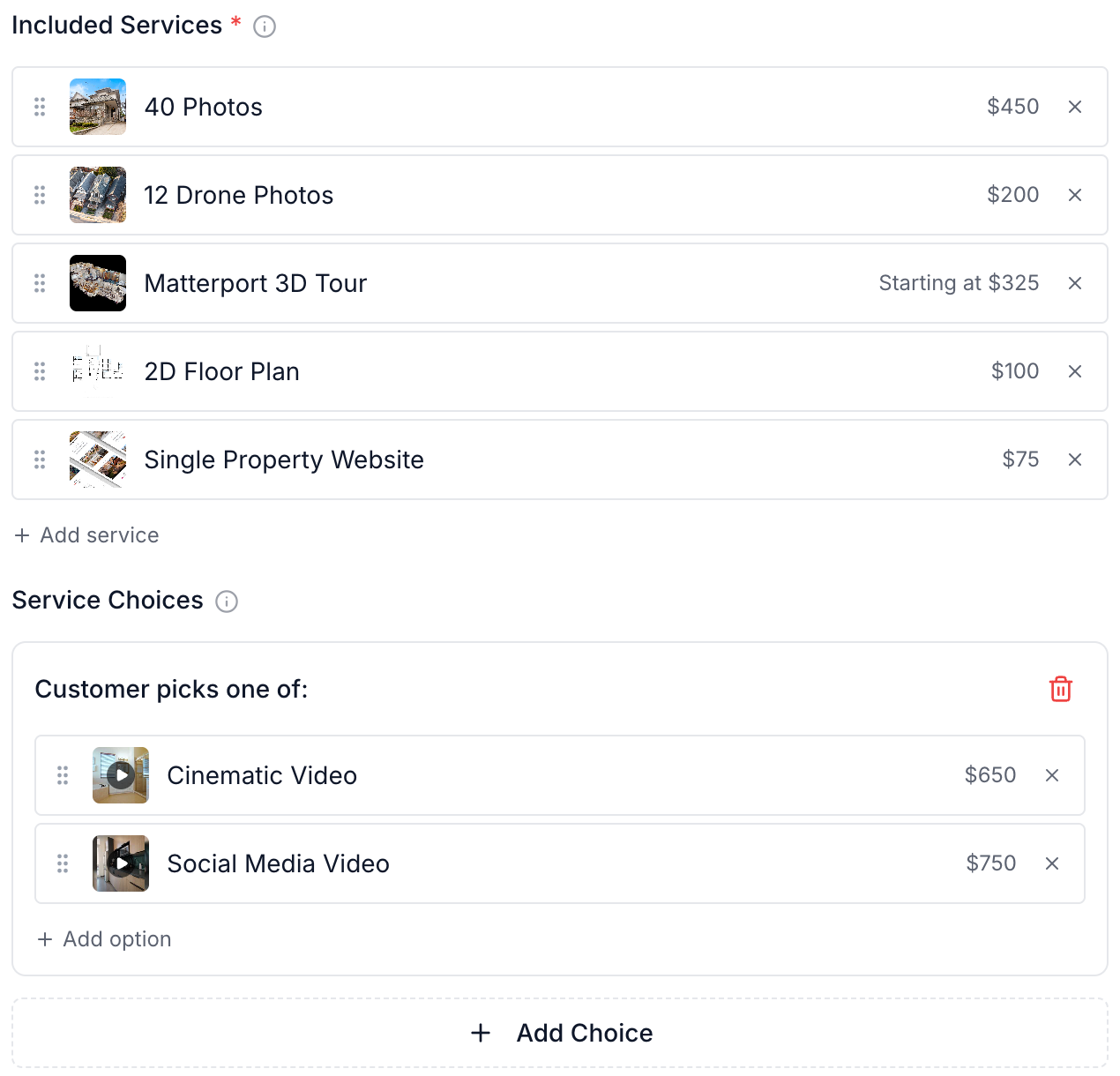
A package needs at least two included services or choices in total. Each choice counts as one. Quantity-priced choice options use the service's minimum quantity.
Select Create when the package is ready. Add it to an order form so clients can order it.
Update a package
Select Edit package on its row, make your changes, and select Update. Use More actions to duplicate a package or add it to an order form.
Changing the discount type resets that package's saved prices in affected pricing catalogs. Review those catalog prices after changing the type.
The selected services control scheduling and automatic deliverables. Use workflows for work that should start when those services are ordered.
Was this helpful?
Still need help? Share an idea